Step 01
1. Plug in LionBox
Connect power and Ethernet. The mobile app finds the nearby box and starts guided setup.
From first setup
LionBox combines a guided mobile setup, a browser-based AI workspace and dedicated local GPU compute. Your team sends requests over the office network; LionBox processes them inside the appliance and returns each answer privately.
Your browser
“
Inside LionBox
100% localCompany knowledge
Local AI model
Your answer
Setup for non-technical teams
Three guided steps. No specialist deployment and no software to install on employee laptops.
Connect power and Ethernet. The mobile app finds the nearby box and starts guided setup.
Claim the box, connect the network, choose models and create accounts for your team.
Authorized users open LionBox in a local browser and start working—nothing to install.
Inside every request
The browser, permissions, knowledge search, model and response path all stay within your office network and LionBox hardware.
A signed-in user sends text, an image or a document from the LionBox interface.
LionBox applies the user’s permissions before any private or shared knowledge is opened.
Chat history, memory and relevant RAG sources are prepared for the selected model.
The request is scheduled on the dedicated NVIDIA GPU with other active team requests.
The answer returns to that user over the LAN. The prompt and response never need the cloud.
Local performance architecture
A dedicated high-capacity NVIDIA GPU runs the selected model. LionBox schedules concurrent requests across available compute, keeps user sessions separate and assembles the right context for each answer.
Local inference is accelerated on appliance hardware instead of a remote API.
Active team requests are queued and scheduled against available GPU capacity.
Conversations and user memory stay attached to the correct private workspace.
Relevant company and private-user documents are retrieved with their permissions intact.
LionBox mobile app
The administrator app guides the technical work in plain language. Configure, monitor and update LionBox without turning everyday operations into an IT project.
Selected view
Network & models
LionBox V1
Office network
Installed models
App video placeholder
Claiming the box, connecting the network and installing the first model.
App video placeholder
Users, permissions, health checks, alerts, working hours and model updates.
Local browser workspace
Chat, attach files, search approved knowledge and revisit source-backed answers in the browser—without installing desktop software.
LionBox Assistant
Local model · No external API · Demo data only
Available AI models
Choose a tested model in the mobile app. Each option is ready to run on LionBox for the kinds of work shown below.
 Available
Multimodal model
 Available
Multimodal instruction model
 Available
General instruction model
New models will appear in the mobile app after they are prepared and tested for LionBox hardware.
Measured on LionBox V1
More than 2,000 benchmark messages across realistic office work, simultaneous users, surge traffic and long documents.
0
No errors, dropped accepted requests or memory failures across more than 2,000 benchmark messages.
0.07 s
The interface starts responding in under a tenth of a second during everyday use.
~2,000words/min
Around eight times faster than average human reading speed.
<0.5 s
Even when 16 people press Send together, every reply begins in under half a second.
5.2 s
LionBox processed roughly 23,000 words and returned an answer in just over five seconds.
Your AI. Your advantage.
Reserve your Founders Edition for €5 + VAT. Save €500 at launch. Cancel before shipping.
Get the launch announcement and delivery updates in your inbox.
€5 + VAT · fully refundable deposit
Your €5 + VAT deposit locks in the €1,999 price. The remaining €1,994 is due only when your hardware is ready to ship. The software license is €29 per month, billed quarterly from activation. Taxes and shipping will be confirmed separately. Secure deposit checkout powered by Revolut.
Made in Europe
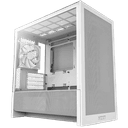
LionBox V1 · Founders Edition
€5 + VAT deposit · €500 launch discount